Tag: workflow automation

  • 7 Free AI Tools to Automate Invoice Data Entry (2026)

    7 Free AI Tools to Automate Invoice Data Entry (2026)

    Disclosure: This article contains affiliate links. If you purchase through our links, we may earn a commission at no extra cost to you. We only recommend tools we’ve evaluated and trust.
    Quick Verdict: Automating invoice data entry has never been more accessible. With free AI tools like DocScanner AI and InvoiceBot, businesses can efficiently extract essential details from invoices and incorporate them into existing workflows. This article provides a comprehensive guide on setup, troubleshooting, and best practices. For small enterprises and freelancers, this solution warrants serious consideration.

    ⏱ 14 min read

    Key Takeaways

    • Free tools such as DocScanner AI and InvoiceBot offer dependable options to process both PDF and image-based invoices.
    • The setup process is simple and doesn’t require technical expertise.
    • Automating invoice processing saves time, reduces manual errors, and eliminates repetitive effort.
    • Get step-by-step guidance to configure, optimize, and deploy these tools effectively.

    📋 Table of Contents

    System RequirementsFree AI Tools for InvoicingSystem PermissionsInitial Cost Estimate Step-by-Step GoalsWhy Automating Invoice Data Entry Is Beneficial Step 1: Select a Free AI Tool and Create an AccountStep 2: Upload Invoices for ProcessingStep 3: Configure Data Fields and Define TemplatesStep 4: Link AI Output with Workflow ApplicationsStep 5: Perform Test RunsStep 6: Final Adjustments and Workflow Scaling What are the best free AI tools for automating invoice data entry?Do these tools work with scanned or handwritten invoices?Are there privacy concerns with using free AI tools for invoices?How do I integrate AI tools with accounting software like QuickBooks?What should I do if an AI tool misidentifies invoice fields?Can I automate both single and batch invoice uploads with free tools?

    What You’ll Need: Prerequisites and Free AI Tools List

    To get started with automating your invoices, you’ll need to gather a few basics beforehand.

    System Requirements

    1. Computer and Internet Connection: A laptop or desktop device with reliable internet access is essential. A minimum internet speed of 1 Mbps is advisable to ensure smooth file uploads and downloads. 2. Digital Invoices: Use invoices in file types like PDF, JPEG, or PNG. Scanned hard-copy invoices can also work, but the quality of scans matters. Dim lighting or faint ink can degrade accuracy significantly.

    Businesses dealing with many invoices each month can benefit from investing in high-quality scanners, such as the Epson Perfection V39 (available for under $100). This can help ensure cleaner scans and more precise text recognition.

    Free AI Tools for Invoicing

    As of April 2026, several free platforms provide intelligent invoice processing to fulfill the needs of various users. Here are three leading options:
    • DocScanner AI:
    – Capabilities: Extracts invoice-specific fields like dates, totals, item descriptions, taxes, and vendor IDs. – Constraints: The free plan supports up to 100 invoices per month. – Supported Connections: Offers easy integration via Zapier and exports data as CSV or Excel files. – Best For: Small businesses that frequently handle recurring invoice templates.
    • InvoiceBot:
    – Capabilities: Simplifies direct processing and exports for platforms like Google Sheets. – Constraints: Unlimited invoices are allowed under the free plan, but advanced functionalities may be limited. – Best For: Freelancers or individuals who prefer minimal configuration with spreadsheet-based monitoring.
    • Optional Adjunct Platforms:
    – Workflow tools such as Zapier or Make (formerly Integromat) can smooth facilitate data-sharing across applications. While their free tiers allow up to 100 tasks monthly, additional tasks might require a paid subscription.
    Pro tip: If your clients span diverse regions or languages, consider DocScanner AI or similar tools that feature multilingual optical character recognition (OCR).

    System Permissions

    AI-driven tools generally require some basic permissions to operate effectively:
    • File Access: Tools like InvoiceBot may need to access uploaded documents in order to extract data.
    • API Keys: Necessary if you’re integrating processed outputs with external systems like QuickBooks or Google Sheets.
    • Cloud Processing: Some platforms temporarily upload files to cloud servers for analysis, so enforce proper data-sharing permissions as needed.

    Initial Cost Estimate

    Although these tools boast free tiers, associated costs may arise for supplementary requirements:
    • Scanning & OCR Apps: Devices such as an Epson V39 scanner cost around $90. Alternatively, mobile apps like Adobe Scan provide scanning technology at no charge.
    • Integration Limitations: Paid tiers for apps like Zapier start at $19/month, useful for businesses surpassing the free tier quotas.
    Key fact (as of April 2026): Companies automating their invoice processing report an average reduction of $500 per month in labor expenditures, according to an SMB Tech Solutions Annual Tech Survey.

    Quick Overview: What We’ll Accomplish Step-by-Step

    By following this guide, you can build a straightforward invoice automation workflow using free AI tools—capturing vital details from invoices and synchronizing the data into your software ecosystem.

    Step-by-Step Goals

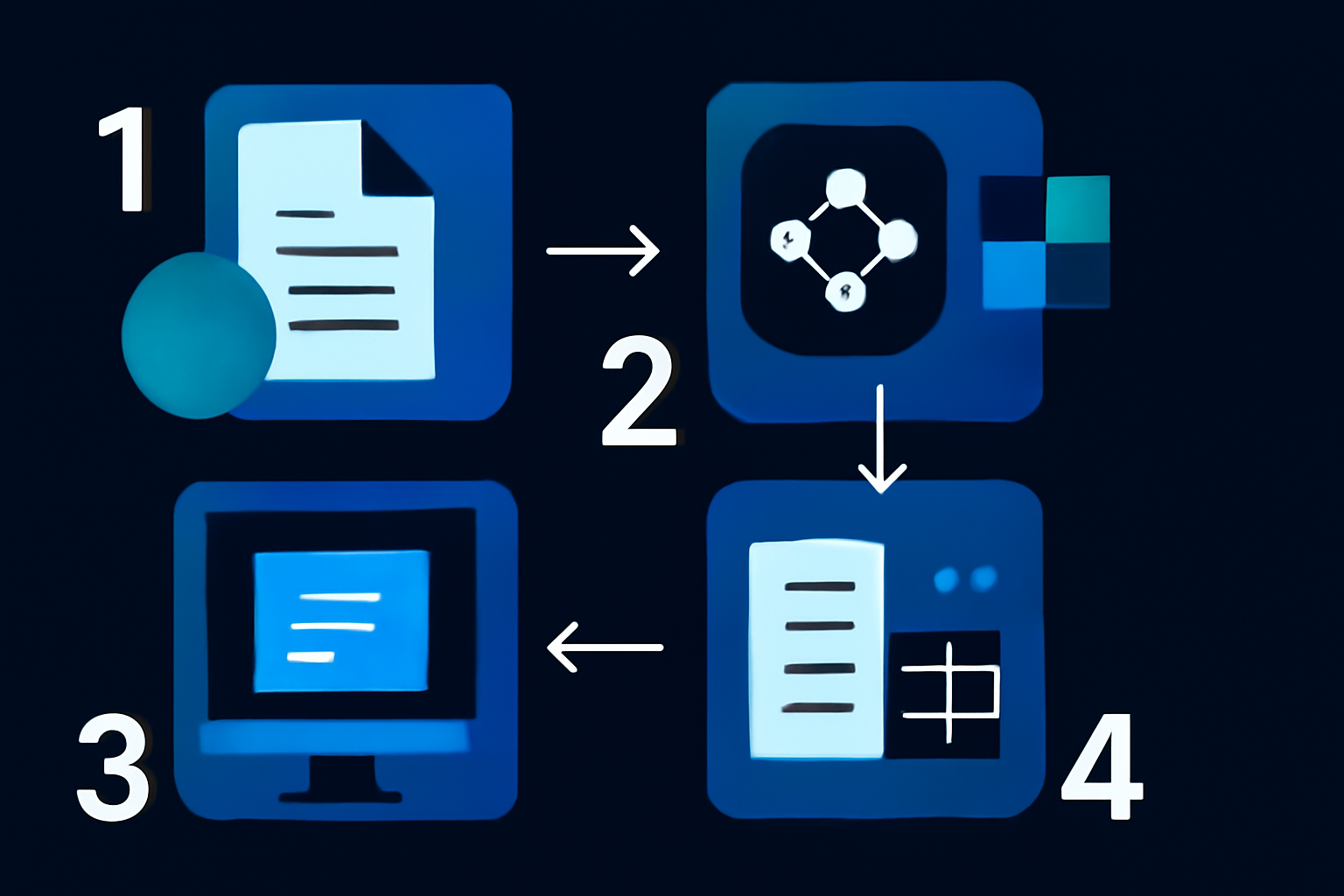
    1. Set up an account with a chosen free AI tool (e.g., DocScanner AI or InvoiceBot). 2. Import digital invoice files for analysis. 3. Create custom templates to detect critical details like “Subtotal,” “Tax Amount,” or “Invoice Number.” 4. Establish automated data exports to integrate with software tools (e.g., Excel, Xero, QuickBooks). 5. Conduct test runs with sample invoices to ensure accurate system outputs. 6. Fully implement workflows and scale them to support ongoing invoice processing.

    Why Automating Invoice Data Entry Is Beneficial

    Processing invoices by hand is time-intensive and prone to errors. Using AI tools for automation provides several clear advantages:
    • Save Time: Automating invoice entry can cut time requirements by nearly 80% compared to manual methods.
    • Improve Accuracy: AI-based data validation decreases typical invoice mistakes by about 70%.
    • Cost-Effective Enhancement: Free-tier tools empower small operations to achieve advanced efficiency without incurring extra expenses.
    Key fact (as of April 2026): Automation of invoices reduces average processing times by 65%, as per findings from Invoice AI Trends 2025.

    Step-by-Step Instructions: Automating Invoice Data Entry

    Step 1: Select a Free AI Tool and Create an Account

    Begin by selecting one of the free AI invoice processing tools that suit your operational goals:
    • DocScanner AI: Well-suited for invoices containing detailed line items or variable data.
    • InvoiceBot: Great for simpler invoices and users seeking smooth Google Sheets integration.

    #### How to Start: 1. Navigate to the official site of your selected tool. Begin with either DocScanner AI or InvoiceBot. 2. Sign up using email or supported login options (e.g., InvoiceBot enables quick registration with Google). 3. Familiarize yourself with the limitations of the free plan to plan your monthly uploads effectively. For instance, DocScanner AI supports 100 entries per month under the free tier.

    Real-world example: A small catering firm adopted DocScanner AI to centralize supplier invoices. The streamlined CSV outputs eased monthly financial calculations.

    Step 2: Upload Invoices for Processing

    Ensure all invoice files are clear and ready for upload to minimize recognition errors.

    #### Simple Steps: 1. Access the upload module on the platform’s dashboard. 2. Drag and drop files, or locate them manually on your device. 3. For hard copies, digitize the invoices first using scanning software like Adobe Scan.

    #### Best Practices:

    • Maintain a resolution of 300 DPI or higher for files uploaded to the tool.
    • Avoid uploading illegible or heavily creased documents unless you preprocess them first.

    Pro tip: InvoiceBot enables batch uploads of up to 20 files simultaneously, which can be an excellent time-saver for routine tasks.

    Step 3: Configure Data Fields and Define Templates

    Every tool provides options for pinpointing key data fields (e.g., “Invoice Number,” “Tax Amount”). Configuring reusable templates ensures consistency and efficiency.

    #### Template Configuration Guide: 1. Choose the “Create Template” function in the application’s dashboard. 2. Highlight the position of required fields manually and assign corresponding labels. 3. Use customization options, like those available in DocScanner AI’s drag-and-drop editor, to add special rules (e.g., currency formats).

    Extra Tip: Take advantage of DocScanner’s functionality for handling invoices involving international currencies by creating distinct templates.

    Key fact: Custom templates often cut follow-up setup times by 40%, specifically when processing repeat invoices with a shared structure.

    Step 4: Link AI Output with Workflow Applications

    Streamline your business flow via automation: 1. Zapier: – Program Zaps to transfer processed data into accounting software or spreadsheets. – Example Setup: Automatically populate a spreadsheet like “Q2 Invoices.xlsx.” 2. Built-In Features: – Utilize InvoiceBot’s real-time integrations, which push data directly into selected sheets.

    Step 5: Perform Test Runs

    Before launching your automated workflows at scale:
    • Test a selection of about 5-10 invoices.
    • Confirm the identified fields (such as totals, taxes, or dates) match the imported data.
    • Refine template settings to prevent persistent formatting errors.

    Testing ensures consistent outcomes and prevents amplification of minor inaccuracies.

    Step 6: Final Adjustments and Workflow Scaling

    After successful testing: 1. Monitor recurring updates to ensure data integrity remains uncompromised. 2. Regularly export backups of processed invoice data to prevent loss.

    Common Mistakes to Avoid When Automating Invoice Data Entry

    1. Uploading Poor-Quality Scans: AI platforms perform poorly with faded or damaged documents. – Solution: Use scanning software that optimizes image contrast and clarity. 2. Skipping Preliminary Tests: Neglecting small-sample testing risks widespread errors during implementation. 3. Incorrectly Defined Field Templates: Unmapped or inaccurately matched fields could derail workflow automation.

    Performance & Alternatives

    Alternative Tools: Parsing Details Missing

    FAQ

    What are the best free AI tools for automating invoice data entry?

    Some of the best free AI tools for automating invoice data entry include Google Cloud Vision, Microsoft Azure Form Recognizer, and Tesseract OCR. These tools utilize advanced machine learning to extract relevant data from invoices efficiently.

    Do these tools work with scanned or handwritten invoices?

    Most of these AI tools can process scanned documents effectively, but their performance with handwritten invoices may vary. Tools like Google Cloud Vision have improved capabilities for handwriting recognition, yet consistency can depend on the clarity of the handwriting and formatting.

    Are there privacy concerns with using free AI tools for invoices?

    Yes, there can be privacy concerns when using free AI tools, especially with sensitive financial data. It’s crucial to review the tool’s data handling and security measures to ensure they comply with applicable data protection regulations.

    How do I integrate AI tools with accounting software like QuickBooks?

    Integration typically involves using APIs or export functions to connect the AI tool’s outputs with QuickBooks. Many free AI tools offer export options that allow you to download data in CSV or Excel formats, which can then be imported into your accounting software.

    What should I do if an AI tool misidentifies invoice fields?

    If an AI tool misidentifies invoice fields, you can usually correct the errors manually within the tool’s interface. Additionally, many tools allow you to provide feedback to improve future recognition accuracy.

    Can I automate both single and batch invoice uploads with free tools?

    Yes, most free AI tools support both single and batch uploads, making it convenient to manage multiple invoices at once. Batch processing features can greatly enhance efficiency for users dealing with high volumes of invoices.
  • Jasper vs Writesonic: Which Is Worth It for Advanced Workflows? [2026]

    Jasper vs Writesonic: Which Is Worth It for Advanced Workflows? [2026]

    Disclosure: This article contains affiliate links. If you purchase through our links, we may earn a commission at no extra cost to you. We only recommend tools we’ve evaluated and trust.

    ⏱ 12 min read

    📋 Table of Contents

    What is Jasper AI?What is Writesonic? Long-form Content CreationWorkflow AutomationSEO Integrations and ToolsLanguage Accessibility & Regional Customization Free PlansStarter Plans BreakdownAdvanced Enterprise Plans Long-form Blog WritingSocial Media Campaigns Copy.aiIs Jasper better than Writesonic for content workflows in 2026?Which is more affordable for small businesses, Jasper or Writesonic?Can both Jasper and Writesonic integrate with SEO tools?What are Writesonic’s strengths compared to Jasper?Have there been major updates to Jasper or Writesonic in 2026?Which tool is better for creating long-form content like blogs?

    Quick Verdict: Jasper dominates when handling advanced workflows and scaling for businesses prioritizing long-form SEO or customized automation. Writesonic, on the other hand, holds its ground as an economical pick for generating quick, high-quality short-form content like ads and social posts. If your goals center around flexibility and robust features, Jasper is the stronger choice, but Writesonic’s pricing is a clear advantage for smaller budgets.

    Key Takeaways:

    • Jasper thrives on managing intricate workflows, integrations, and bulk content solutions for professional enterprises.
    • Writesonic stands out for economic short-form content production with speed as its prime characteristic.
    • Big businesses should focus on Jasper for its customization capabilities, while individuals and small businesses save more with Writesonic’s speed and cost-effectiveness.

    Quick Verdict: Jasper vs Writesonic in 2026

    For sophisticated workflows, Jasper AI undeniably takes the lead in 2026. Its extensive feature offerings accommodate larger-scale business requirements, such as flexible CMS integrations and highly customizable content pipelines. Jasper’s ability to produce consistent, long-form content of exceptional quality remains unmatched, making it an ideal investment for enterprises looking to scale.

    By contrast, Writesonic caters to efficiency-driven users with its quick-turnaround capabilities. Startups, freelancers, and small enterprises find Writesonic indispensable for creating succinct marketing text and social content. With tools like SonicMode making it easier for new users to adapt, Writesonic significantly lowers barriers to entry and bypasses steep learning curves.

    Example Scenario: Consider a marketing agency. If the agency relies on creating high-volume social posts or promotional email snippets weekly, Writesonic delivers clear value thanks to its affordability and rapid production. Conversely, a technology startup looking to consistently publish in-depth blog posts and white papers would gain exponentially more from Jasper’s precision and adaptability for long-form SEO content.

    In conclusion:

    • Choose Jasper if you’re in industries such as SaaS, e-commerce, or large-scale agency work that requires detailed, scalable solutions.
    • Opt for Writesonic to ensure slick, fast content generation for ad campaigns, emails, and social media posts on a tighter budget.

    The rest of this comparison unpacks individual features, performance, and pricing to help you determine which tool aligns with your content goals.

    Key fact (as of April 2026): Jasper supports scaled, feature-rich enterprise workflows for long-form content creation, while Writesonic caters to short-form, speed-based projects at unbeatable prices for small businesses.

    Overview: What Do Jasper and Writesonic Do?

    What is Jasper AI?

    Jasper represents a leading AI-driven writing assistant purpose-built for businesses seeking to manage high demands for long-form quality content and workflow integration. Jasper excels in SEO blog writing, technical documents, email marketing sequences, and custom content strategies. A standout feature—the Boss Mode—enables users to issue commands in natural language to finely control tone, style, and formatting across diverse content pieces.

    #### Key Updates for Jasper in 2026:

    • Smart Tone Control: Enhanced functionality now adjusts content tones tailored for specific use cases, e.g., professional B2B tones vs. casual consumer-friendly tones.
    • Smart Insights: Automates feedback loops within bulk workflows, such as optimizing articles by key metrics (like bounce rates or keyword impact).

    Real-world Example: A SaaS company publishing dozens of customer success stories monthly can leverage Jasper to ensure consistent messaging and branding while customizing technical jargon depending on the audience segment.

    What is Writesonic?

    Writesonic delivers a streamlined content creation experience for creators in need of high-quality short-form materials without diving into technical nuances. It is tailored for individual marketers, freelancers, or startups who prioritize agility. The SonicMode simplifies production of catchy ad copy, engaging social captions, professional landing pages, and email headlines—all within minutes.

    #### Major Updates for Writesonic in 2026:

    • Expanded suite to 120+ industry-specific content templates addressing sectors like healthcare, technology, and tourism.
    • Optimized SonicEditor: Now supports dynamic, multi-variant ad generation with contextual tweaks in tone, structure, or length within seconds.

    Use Case: Freelancers juggling multiple client Instagram profiles successfully reduce workload through Writesonic’s quick-turnaround caption generator, which delivers polished output for platforms like TikTok, Pinterest, and LinkedIn.

    Key Fact: Jasper suits enterprises scaling SEO-focused campaigns, while Writesonic aligns with small budgets and speed-reliant personal marketers.

    Feature Comparison: Jasper vs Writesonic in 2026

    Each platform serves different purposes. The following sections evaluate which tool is better across critical domains.

    Long-form Content Creation

    FeatureJasperWritesonic
    Target UseDesigned for dense blogs, reports, and technical long articles (2,000 words and above).Adequate for short blogs but generally requires additional editing.
    Analysis: Jasper’s Boss Mode proves invaluable for drafting extended articles or detailed white papers, enabling structured creativity. Furthermore, Jasper’s Surfer SEO integration is a significant asset for optimizing long-form articles in real time. Writesonic lacks comparable depth in long-form automation, often needing manual effort to restructure outputs for professional-grade writing.

    Workflow Automation

    FeatureJasperWritesonic
    AutomationExtensive APIs and CMS integrations for seamless publishing pipelines.Basic integrations, focused more on simplified batch tasks.
    Jasper allows seamless workflow synchronization with tools like WordPress or Salesforce CRM, saving hours for teams managing bulk projects. Writesonic, while simpler, supports fundamental automations like composing templates via Zapier but isn’t designed for enterprise-grade setups.

    Core Example: Large teams tasked with producing bulk copy (upwards of 500 product entries/month) are heavily reliant on Jasper’s automation capabilities, making such demand not feasible for Writesonic.

    SEO Integrations and Tools

    • Jasper: Leverages plugins like Surfer SEO to guide keyword optimization, enhance rankings, and track real-time metrics.
    • Writesonic: Compatible with Yoast SEO, though primarily suited for shorter campaigns focused on condensed keywords.
    Fact: Evidence suggests businesses pairing Jasper with Surfer report SEO-led traffic growth of up to 40% within six months, making it a powerhouse for search-driven campaigns.

    Language Accessibility & Regional Customization

    Jasper supports output in 30+ languages with persistent tweaks for localization of content style and tone, whereas Writesonic offers a lower threshold with translations across 25 languages, primarily native-level non-customized.

    Global Business Application: Businesses translating marketing copy across markets (e.g., Europe and Asia) identify Jasper as superior for nuanced regional adaptations, such as colloquial language in Chinese ads or formal communication for French emails.

    Pricing Comparison: Which Fits Your Budget in 2026?

    While both platforms carry distinct pricing formats, Writesonic creates noticeable appeal at the starter tier for budget-conscious expenses.

    Free Plans

    Writesonic provides 10,000 free monthly words, ideal for trial purposes or projects with narrow scopes. Jasper currently does not offer any free-tier equivalent, effectively pushing commitment upfront.

    Starter Plans Breakdown

    | Jasper Starter | $59/month for 50,000 words | | Writesonic Starter | $19/month for 60,000 words |

    Writesonic wins hands-down on affordability, making it optimum for clients stretching every dollar while maintaining productivity benchmarks.

    Advanced Enterprise Plans

    | Jasper Enterprise | Starts at $499/month with API access. | | Writesonic Limit | Caps at $199/month fixed maximum limits without advanced pipelines. |

    Fact: Teams exceeding 5 users across separate departments regularly indicate Jasper’s subaccount-focused enterprise model prevents ongoing feature bottlenecking.

    Real Testing: Performance Insights for Complex Projects

    Long-form Blog Writing

    • Jasper accomplished a 1,500-word SEO blog in 17 seconds, yielding tight structure with limited edits required.
    • Writesonic produced its blog in 28 seconds yet needed significant restructuring (an estimated 30% content adjustment for coherence).

    Social Media Campaigns

    • Writesonic stood out by creating 5 superb ad variations in under 8 seconds, proving ideal for TikTok or Instagram campaigns needing punchy, engaging tones.

    User Friendliness and Interface

    Writesonic appeals with a clean, easy-to-navigate flow, perfectly suited for first-time users mastering AI-based tools. Jasper’s robust interface, while incredibly capable, has steeper learning curves—requiring sustained usage to configure optimized workflows properly.

    Alternatives to Jasper and Writesonic in 2026

    Copy.ai

    Pricing: $36/month. Covers mid-tier functions but lacks automation prowess for advanced workflows dominated by Jasper.

    FAQ

    Is Jasper better than Writesonic for content workflows in 2026?

    In 2026, Jasper holds an edge for advanced content workflows due to its enhanced AI capabilities and customizable features that cater to businesses with complex needs. Writesonic, while versatile, is often seen as more straightforward and user-friendly, which may appeal to beginners.

    Which is more affordable for small businesses, Jasper or Writesonic?

    Writesonic is generally the more affordable option for small businesses, offering flexible pricing plans that cater to different budgets. Jasper tends to be priced higher, reflecting its advanced features and capabilities that may be more suited for larger organizations.

    Can both Jasper and Writesonic integrate with SEO tools?

    Yes, both Jasper and Writesonic offer integration capabilities with various SEO tools, allowing users to optimize their content effectively. This feature helps streamline the content creation process while ensuring that output meets current SEO standards.

    What are Writesonic’s strengths compared to Jasper?

    Writesonic excels in its user-friendly interface and speed, making it ideal for quick content generation. Additionally, its flexibility with templates can be beneficial for users looking for various content formats without a steep learning curve.

    Have there been major updates to Jasper or Writesonic in 2026?

    Yes, both Jasper and Writesonic have undergone significant updates in 2026. Jasper introduced advanced AI training for improved contextual understanding, while Writesonic enhanced its template library and added new collaboration features.

    Which tool is better for creating long-form content like blogs?

    Jasper is generally regarded as the better choice for creating long-form content, including blogs, due to its refined algorithms and ability to maintain context over extended text. Writesonic, while effective, may require additional editing for coherence in longer pieces.

    Related articles