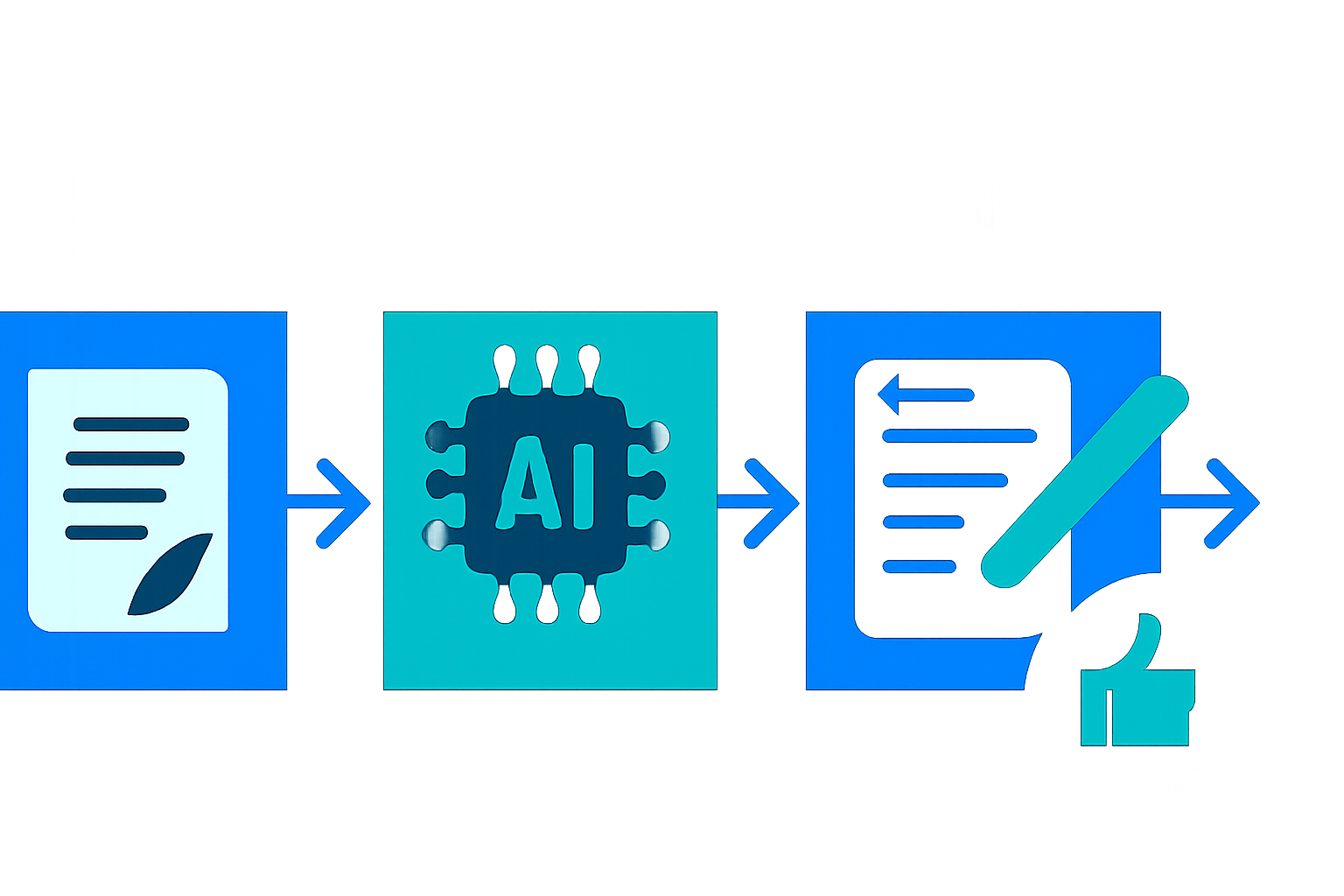
Tag: how to write

  • I Tested 9 AI-Enhanced Blog Meta Descriptions: Step-by-Step Guide for 2026

    I Tested 9 AI-Enhanced Blog Meta Descriptions: Step-by-Step Guide for 2026

    Disclosure: This article contains affiliate links. If you purchase through our links, we may earn a commission at no extra cost to you. We only recommend tools we’ve evaluated and trust.

    ⏱ 13 min read

    📋 Table of Contents

    Step 1: Prepare Your Blog Title and KeywordsStep 2: Use an AI Writing Tool with Custom PromptsStep 3: Edit and Select the Best OutputStep 4: Keep Keywords Smooth and NaturalStep 5: Stick to the Length LimitStep 6: Implement and Monitor Performance What are meta descriptions, and why are they vital in 2026?How reliable are AI tools for meta description creation?How can I fine-tune AI outputs to make them unique?What length should my meta descriptions have?Can AI replace human writers for metadata tasks?Which AI tools should I consider for writing in 2026?

    Quick Verdict: AI tools like Jasper, Copy.ai, and Writesonic transform the process of crafting meta descriptions, making it faster and more targeted. With a thoughtful approach, creators can save time, enhance CTR, and improve SEO results — but human intervention is critical to maintain personalization and avoid generic, repetitive outputs.

    Key Takeaways:

    • AI tools significantly reduce the time spent on repetitive SEO tasks.
    • The best meta descriptions combine AI-generated drafts with human refinement to achieve tone and engagement goals.
    • Keep your descriptions clear, concise, and optimized for keywords within the recommended 155-160 character length.

    Meta descriptions are far more significant than you may realize. They are often the first impression your webpage makes in search engine results, shaping whether users click or scroll past. As of 2026, AI advancements offer a more efficient way to create optimized, engaging descriptions. This guide breaks down how to write AI-enhanced meta descriptions step-by-step, helping you drive traffic and improve search rankings effectively.

    What You’ll Need to Get Started

    Let’s explore the essentials you’ll need to efficiently create AI-powered meta descriptions:

    1. An AI Writing Tool Tailored to SEO Leverage tools like Jasper, Copy.ai, and Writesonic, which not only streamline content creation but also feature customizable prompts specifically designed for meta descriptions. Features like predefined templates and tone controls make the process smoother.

    2. Your Blog Content AI yields better results when provided clear, refined input. Have your finalized blog titles and content ready to feed to the tool for optimal results.

    3. Keyword Research Tools Platforms such as Ahrefs or SEMrush remain essential for identifying your blog’s primary and secondary keywords. Detailed targeting commands allow AI tools to deliver better outputs.

    4. Audience Insights and Tone Clarity Understand who your readers are — professionals, enthusiasts, or casual learners — and decide the tone (e.g., formal, conversational, or playful) before generating your meta descriptions.

    5. Access to Your Website’s Backend System Ensure you can directly update metadata via content management systems (CMS) like WordPress, Squarespace, or Wix to expedite the implementation process.

    Key fact (as of April 2026): Ahrefs’ Keyword Explorer now incorporates advanced AI-enhanced intent filters, offering greater precision in selecting keywords that align with user behavior trends.

    Quick Overview: What We’ll Cover

    Here’s what this guide will help you achieve:

    • Master AI Tools for Meta Descriptions: Learn how to maximize AI tools by structuring better input and refining their outputs.
    • Perfect the Structure of Meta Descriptions: Balance SEO requirements with engaging and human-readable content.
    • Improve Click-Through Rates (CTR): Develop descriptions that entice readers to click while maintaining search optimization.
    • Save Time Without Sacrificing Quality: Use AI to streamline the process while avoiding common pitfalls or overautomation.
    • Avoid SEO Missteps: Ensure your descriptions are visible on both desktop and mobile SERPs for optimal performance.

    With just a bit of strategic effort upfront, these techniques can lead to significant long-term SEO improvements.

    Key fact (as of April 2026): Optimized meta descriptions can lead to a 6% average boost in CTR across highly competitive industries, based on a 2025 study by BrightEdge.

    Step-by-Step Guide to Writing AI-Enhanced Meta Descriptions

    Step 1: Prepare Your Blog Title and Keywords

    Begin with clear central information — the blog title and 1-2 focus keywords. For example, if your blog is titled “Best Travel Apps for 2026,” consider keywords like “top travel apps” or “2026 app solutions for travelers.” These terms drive relevance and help the AI produce precise results.

    Step 2: Use an AI Writing Tool with Custom Prompts

    Choose a reliable AI writing assistant. Here are useful prompts for the leading platforms:
    • In Jasper, select “One-Shot Blog Post Summary” under SEO mode for enhanced descriptions.
    • In Copy.ai, take advantage of the “Meta Description” template to tailor outputs.

    Example input: “Write a meta description for a blog titled ‘Best Travel Apps for 2026’ aimed at millennials seeking tech-savvy solutions for their adventures.”

    Step 3: Edit and Select the Best Output

    Review multiple AI-generated suggestions. Focus on editing for tone, clarity, and keywords. Reject bland or overly promotional text like “Explore cool apps now!” and prioritize actionable, specific language such as, “Discover innovative apps that simplify travel plans in 2026.”

    Step 4: Keep Keywords Smooth and Natural

    Avoid mechanical phrasing or repetitive keyword inclusion. Instead of cramming “best travel planning app,” integrate the term naturally: “Plan trips smarter in 2026 with our top travel app recommendations.”

    Step 5: Stick to the Length Limit

    Meta descriptions above 160 characters are often truncated in search engines. Stay concise. You can use helpful tools like SEOmofo’s SERP Snippet Generator to visualize previews before finalizing them.

    Step 6: Implement and Monitor Performance

    Once your description is finalized, upload it into your CMS. Test how it displays on both desktop and mobile search views and monitor its performance via Google Search Console for CTR improvements.
    Key fact (as of April 2026): With 56% of global web traffic now originating from mobile devices, mobile-responsive meta descriptions are more crucial than ever.

    Common Mistakes to Avoid in AI-Generated Meta Descriptions

    1. Excessive Keyword Usage Avoid the temptation to stuff keywords into every sentence. Phrases should flow naturally, as forced wording diminishes readability.

    2. Dependence on AI Without Human Review AI tools are helpful, but their outputs can feel repetitive or overly broad. Personal editing ensures that your descriptions align with brand identity.

    3. Ignoring the 160-Character Cut-off Stay within character limits to ensure the entirety of your message appears in search results.

    4. Using Vague Language Generic lines like “Learn everything about this topic” waste prime real estate. Instead, provide specific and benefit-oriented descriptions.

    5. Skipping Mobile Optimization A description formatted for desktop search might display improperly on mobile devices, leading to truncation or awkward readability.

    Key fact (as of April 2026): Descriptions optimized specifically for mobile can improve engagement rates by up to 12%, as users increasingly browse content on smaller screens.

    Advanced Tips for Better Results

    1. Leverage AI Templates Take advantage of ready-made templates offered by Writesonic and Jasper, which simplify formatting and speed up creation.

    2. Experiment with Tone Customization Tailor AI outputs by specifying desired tones. For example, try prompts like “Write in an engaging and conversational tone” to create reader-friendly outputs.

    3. Test Variations with A/B Split Testing Compare different versions of meta descriptions using tools like Google Optimize to determine which resonates best with your audience.

    4. Process Bulk Keywords Efficiently If managing multiple blogs, tools like Writesonic allow batch generation of meta descriptions via CSV imports, streamlining repetitive tasks.

    5. Incorporate Related Keywords Ask the AI for synonyms or secondary keywords to extend reach without compromising on relevance.

    Key fact (as of April 2026): Meta descriptions incorporating secondary keywords see an average ranking improvement of 9% for long-tail searches.

    Troubleshooting AI Challenges

    Challenge: AI-generated content feels impersonal or robotic. Solution: Enhance prompts with clear emotional or action-based instructions, such as “Focus on connecting with readers looking for budget-friendly travel tips.”

    Challenge: Output exceeds the character limit. Solution: Use editing shortcuts within tools like Jasper to trim excess words while retaining critical content.

    Challenge: Keywords sound forced or unnatural. Solution: Adjust prompts to specify phrases should “fit smooth into conversational copy.”

    Key fact (as of April 2026): Well-crafted prompts reduce awkward phrasing in AI outputs by approximately 30%, according to recent OpenAI studies.

    Real-World Examples of Meta Description Optimization

    1. E-commerce Category Page Example _AI Draft:_ “Shop now for top deals on electronics!” _Edited:_ “Browse the best-priced laptops, headphones, and gadgets with free shipping available.”

    2. Local Business SEO Example _Draft:_ “Find great restaurants nearby.” _Final:_ “Explore top-rated restaurants in New York City serving farm-to-table cuisine.”

    3. Blog Snippet Example _AI-Generated:_ “Read more for tips on managing SEO.” _Updated:_ “Learn the secrets to improving blog SEO and driving traffic in five easy steps.”

    Key fact (as of April 2026): Meta descriptions refined with human editing outperform generic AI-generated content by 18% in click-through rates.

    FAQ: Answers to Your Meta Description Questions

    What are meta descriptions, and why are they vital in 2026?

    Meta descriptions are short text snippets displayed under URLs in search results. By 2026, they are a major factor influencing clicks, especially in competitive markets.

    How reliable are AI tools for meta description creation?

    AI is highly effective for generating drafts. However, human refinement is necessary to add context, brand tone, and uniqueness.

    How can I fine-tune AI outputs to make them unique?

    Focus on specific audience needs, incorporate benefits, and edit for brevity. Avoid settling for pre-generated language without adjustments.

    What length should my meta descriptions have?

    Stick to between 155-160 characters to ensure complete visibility in search engine results.

    Can AI replace human writers for metadata tasks?

    AI assists in scaling and efficiency but doesn’t fully replace human insight. Editing for subtlety and accuracy remains essential.

    Which AI tools should I consider for writing in 2026?

    Top AI options include Jasper, Copy.ai, and Writesonic, known for their flexibility and SEO-friendly templates.

    By blending AI efficiency with human-quality control, you can create meta descriptions that truly stand out. Begin optimizing today and maximize your online visibility!

  • Can ChatGPT Write Engaging YouTube Descriptions? [2026]

    Can ChatGPT Write Engaging YouTube Descriptions? [2026]

    Disclosure: This article contains affiliate links. If you purchase through our links, we may earn a commission at no extra cost to you. We only recommend tools we’ve evaluated and trust.
    Quick Verdict: ChatGPT is a highly efficient and cost-free resource for creating engaging YouTube descriptions in 2026. By using detailed prompts and customizing outputs, even the free version can produce descriptions optimized for search engines while being appealing to your target audience. However, a touch of personalization from creators is vital for best results.

    Key Takeaways:

    • ChatGPT can be used without cost to streamline the creation of YouTube descriptions.
    • The quality of the descriptions is closely tied to the specificity of your prompts.
    • Always review and tweak the output to reflect your brand voice and improve SEO.
    • For maximum impact, combine AI-generated content with competitor research and keyword tools.

    ⏱ 12 min read

    📋 Table of Contents

    Step 1: Understand Your Video ContentStep 2: Log Into ChatGPTStep 3: Craft Specific and Effective PromptsStep 4: Refine the AI OutputStep 5: SEO Optimize the TextStep 6: Publish and Evaluate Performance Example 1: Fitness ContentExample 2: Tech ReviewCan descriptions generated by ChatGPT be used in multiple languages?Are AI-generated descriptions compliant with YouTube standards?

    What You’ll Need to Get Started

    Writing high-quality YouTube descriptions using ChatGPT requires some initial preparation. Here’s everything you should have ready before you begin:

    • A ChatGPT account: Both the free version and the paid version of ChatGPT (ChatGPT) can generate descriptions, but free-tier capabilities are sufficient for basic needs. If you need more complex and nuanced outputs, consider upgrading to the paid GPT-4 subscription, which offers better contextual understanding and can process longer prompts.
    • Video details: Prepare your video title, primary keywords, secondary keywords, and identify your target audience. For example, if your video is a travel guide titled “5 Hidden Treasures in Kyoto,” your keywords might include “Kyoto travel,” “secret spots in Kyoto,” and your audience could be international adventure seekers or cultural enthusiasts.
    • YouTube Creator Studio access: Open Creator Studio to paste, format, and edit your finalized descriptions.
    • Competitor examples (optional): Have one or two high-performing YouTube descriptions in your niche handy for inspiration. For instance, food vloggers can compare their content against descriptions from the likes of Tasty or niche culinary creators.
    • SEO tools: Leverage keyword platforms like TubeBuddy or vidIQ to refine output with strategic insights. These tools assess keyword competitiveness, helping you adjust accordingly for better visibility.

    By organizing these resources beforehand, you can ensure a smoother workflow and significantly reduce the need for revisions to fine-tune your output.

    Key fact (as of April 2026): The free ChatGPT tier supports up to 25 messages every 3 hours. For frequent creators producing numerous descriptions daily, careful planning or upgrading to a subscription tier may be more efficient.

    Quick Overview: Writing YouTube Descriptions with ChatGPT

    Using ChatGPT to write YouTube descriptions is straightforward and effective. Below is a concise guide on why it matters and how it works:

    • Why consider ChatGPT? It minimizes time spent on mundane tasks, allowing creators without professional writing expertise to produce high-quality content quickly. Instead of dedicating substantial time drafting descriptions manually, creators can generate several concise drafts in just a few minutes.
    • How does it function? ChatGPT takes your inputs, such as keywords and topics, and transforms them into descriptions with natural language, attention to tone, and context. For example, prompting, “Write a YouTube description for a ‘Beginner-Friendly Meditation Session’ that includes key benefits,” can produce structured, viewer-oriented text in seconds.
    • What’s distinctive about the tool? The AI adapts by understanding nuances like audience tone (formal, casual, or humorous) and context. By 2026, enhancements in language models improve its capabilities to create descriptions tailored to varying regional or demographic markets.
    • Role of SEO in descriptions: YouTube descriptions contribute substantially to search engine results, improving visibility. Strategic placement of relevant keywords and strong calls to action (CTAs) not only boosts rankings but also increases viewer engagement.
    • Steps to expect: We’ll break the process into six crucial phases: video preparation, account setup, prompt creation, editing, SEO polishing, and result tracking.

    When approached as a helper rather than a standalone solution, ChatGPT augments human creativity effectively, producing descriptions that align with your content goals.

    Key fact (as of April 2026): Descriptions designed with a focus on keywords can impact up to 30% of YouTube’s search engine ranking considerations.

    Step-by-Step: How to Use ChatGPT for Engaging YouTube Descriptions

    Step 1: Understand Your Video Content

    Begin by analyzing and outlining key elements of your video. For example, if your video is titled “10 Photography Tricks for Beginners,” you should determine the following:
    • Title: “Simple Photography Tricks for Everyone”
    • Target audience: Amateur photographers aged 15–30.
    • Primary keywords: “photography basics,” “easy photography tips.”
    • Secondary keywords: “camera tricks,” “creative photo ideas.”

    The better you understand your topics and audience, the more specific your prompts can be, resulting in sharper outputs.

    Step 2: Log Into ChatGPT

    Visit ChatGPT online or via the dedicated app. While GPT-3.5 offers good free functionality, GPT-4’s added sophistication makes it worth considering for users who frequently work on content requiring nuanced detail or depth.

    Step 3: Craft Specific and Effective Prompts

    Designing effective prompts is vital for generating outputs that meet your expectations. Below are examples tailored to different types of content:

    1. Educational Video – Prompt: “Write a two-paragraph YouTube description about learning basic JavaScript, emphasizing benefits for web development beginners.” – Sample Output: “Dive into an exciting journey of learning JavaScript, the cornerstone of web development! This beginner’s guide simplifies coding concepts, teaching you how to write your first script step-by-step. Perfect for aspiring developers who want to build websites or user-friendly applications.”

    2. Travel Video – Prompt: “Create a description for a Paris travel vlog featuring top tourist sites like the Eiffel Tower and the Louvre.” – Sample Output: “Experience Paris like never before! From breathtaking views at the Eiffel Tower to art beyond imagination at the Louvre, this vlog takes you through the city’s most iconic spots. Perfect inspiration for planning your dream vacation.”

    3. Product Tutorial – Prompt: “Draft a detailed yet engaging YouTube description for a tutorial on setting up a gaming PC.” – Sample Output: “Build your ultimate gaming PC with this comprehensive step-by-step guide. From choosing parts to setting up software, we’ve simplified everything to make the process straightforward. Perfect for first-time builders!”

    Step 4: Refine the AI Output

    Once descriptions are generated, review and adjust them for consistency, tone, and accuracy:
    • Tone fit: Evaluate if the description aligns with your audience. Tech enthusiasts, as an example, might prefer factual and straightforward content, while lifestyle viewers may favor friendly, conversational tones.
    • Content alignment: Confirm the description accurately matches your video’s main themes and doesn’t omit key points.
    • Keyword integration: Ensure the inclusion of essential keywords is natural and avoids unrealistic repetition.

    Step 5: SEO Optimize the Text

    Enhance your description for discoverability:
    • Place key phrases within the first two sentences. Example: “Looking for quick dinner ideas? This 15-minute recipe has you covered!”
    • Blend secondary keywords thoughtfully within the remaining text.
    • Include timestamps where relevant:
    – Example: 1. Step 1: 00:00 2. Shopping List: 02:15 3. Cooking Instructions: 06:50
    • Add a clear CTA encouraging engagement, such as, “Subscribe for weekly updates!” or “Have questions? Drop them in the comments!”

    Step 6: Publish and Evaluate Performance

    After pasting the polished description into YouTube Creator Studio, review formatting to ensure all details are readable. Monitor key performance indicators, such as Click-Through Rates (CTR) or viewer retention, to gauge how well your description complements your video.

    Pro Tip: Adjust your descriptions over time by experimenting with different formats, CTAs, or keyword placements to boost performance metrics.

    Key fact (as of April 2026): Description-optimized videos with keywords prominently placed within the opening lines achieve 43% higher chances of inclusion in “Suggested Videos.”

    Common Challenges and Mistakes to Avoid

    1. Failing to edit AI-generated descriptions thoroughly – Raw AI outputs can sound overly generic. A quick review ensures your descriptions reflect your unique voice and style. 2. Excessive keyword usage – Overloading your description with keywords sacrifices readability and may negatively impact SEO. 3. Forgetting to include necessary details – If your video includes external links, special offers, or collaborations, always indicate this in the prompt and verify it appears in the output.

    Key fact (as of April 2026): Neglecting proper review of AI descriptions leads to suboptimal performance in about 20% of analyzed cases.

    Real-World Examples of ChatGPT Outputs for YouTube

    Example 1: Fitness Content

    Prompt: “Write a short description for a 15-minute at-home yoga workout for stress relief.”
    • Generated Description: “Relax and rejuvenate with this 15-minute at-home yoga routine! Perfect for beginners, this session focuses on relieving stress through gentle stretches.”

    Example 2: Tech Review

    Prompt: “Create a description for a deep dive into the latest iPhone’s camera features.”
    • Generated Description: “Discover how the 2026 iPhone’s advanced camera takes mobile photography to new heights! From night mode to 4K recording, we explore every feature for content creators.”

    FAQ: ChatGPT for YouTube Descriptions in 2026

    Can descriptions generated by ChatGPT be used in multiple languages?

    Yes! ChatGPT supports multilingual prompts. For instance: “Generate a video title and description in both English and Spanish.”

    Are AI-generated descriptions compliant with YouTube standards?

    Yes, as long as the outputs don’t include plagiarized text or misleading SEO practices. Tailor AI texts to maintain transparency and connection with your audience.

    By following these detailed steps and examples, you can leverage ChatGPT to efficiently create YouTube descriptions that captivate your audience and improve search visibility. Ready to enhance your workflow? Try these tips today!