Tag: ai image video

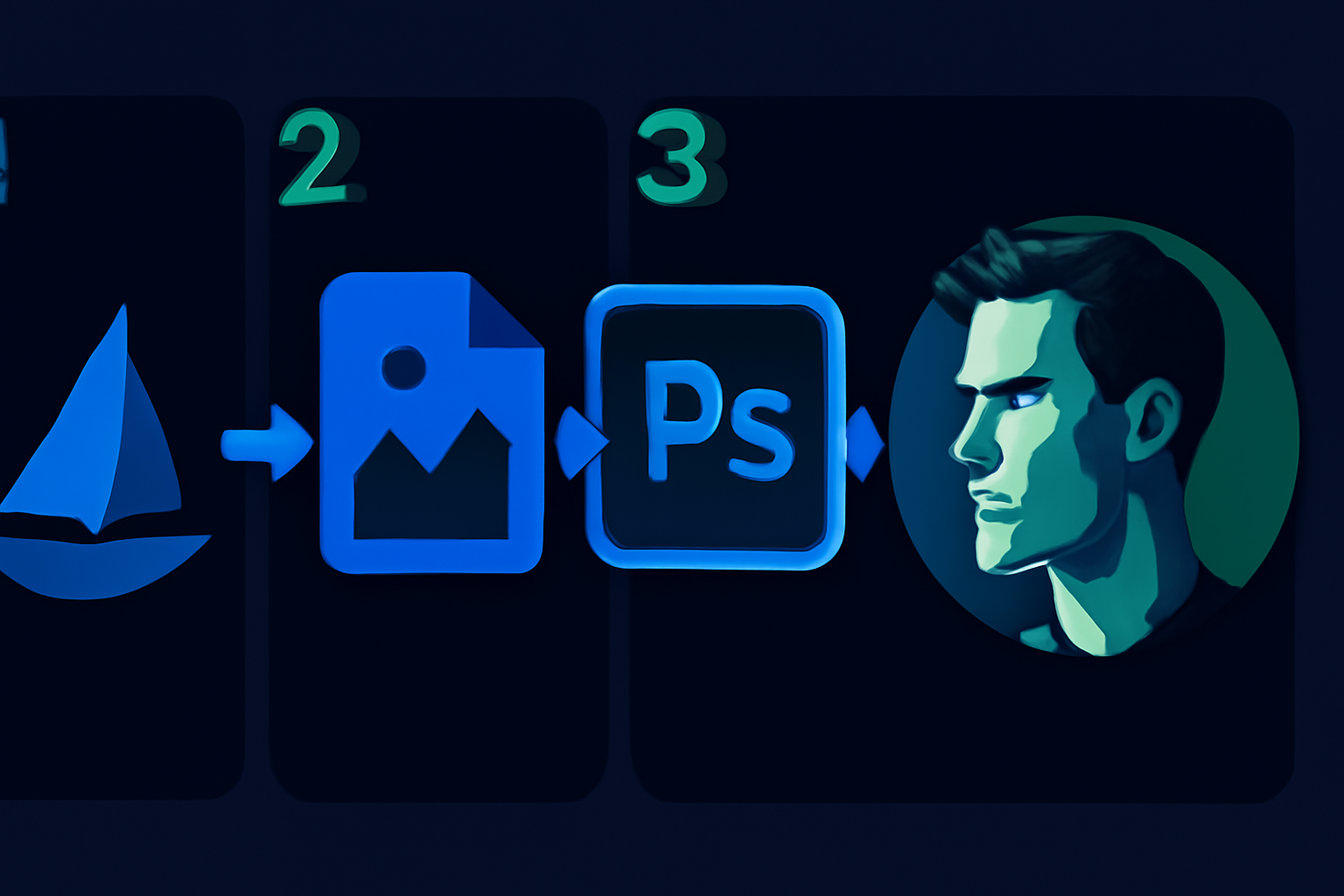
  • How to Combine MidJourney and Photoshop for Realistic AI Art [2026]

    How to Combine MidJourney and Photoshop for Realistic AI Art [2026]

    Disclosure: This article contains affiliate links. If you purchase through our links, we may earn a commission at no extra cost to you. We only recommend tools we’ve evaluated and trust.
    Quick Verdict: Combining MidJourney and Photoshop delivers an efficient and professional workflow for producing detailed and highly realistic AI art in 2026. MidJourney excels in generating creative concepts, while Photoshop provides the tools necessary to refine and perfect these images into polished works of art. This combination is an essential skill set for serious digital creators.

    ⏱ 10 min read

    Key Takeaways:
    • Utilize MidJourney for fast concept creation and exploring artistic variety.
    • Employ Photoshop for detail enhancements, realism, and complete creative control.
    • Both tools require subscriptions, which can represent a significant investment, but they are vital for delivering top-tier visuals.
    • This workflow is ideal for marketers, artists, and small businesses aiming to produce professional client-ready content.

    What You’ll Need: Tools and Prerequisites

    To successfully integrate MidJourney and Photoshop in your workflow, you’ll need the following tools and setup. Both MidJourney and Photoshop offer unique value individually, but preparation is key to leveraging them together effectively.

    1. MidJourney Subscription – MidJourney operates as a Discord-based platform for generating AI art. Subscription plans begin at $15 per month for the Basic Plan, and Pro users can pay $30 per month for additional features. You’ll need a paid plan to generate high-quality results and obtain commercial usage rights. 2. Adobe Photoshop – Photoshop is still the premier choice for professional-grade image editing. As of April 2026, it costs $20.99 per month as part of Adobe’s standalone Creative Cloud subscription, or $54.99 per month if packaged with Adobe’s other apps.

    3. Foundational Knowledge – You should have a basic understanding of MidJourney’s prompt system and be somewhat familiar with Photoshop’s interface. While expertise isn’t required, basic navigation and command usage will significantly speed up your workflow.

    4. Optional Hardware – A drawing tablet, like those offered by Wacom or XP-Pen, can enhance the precision of your touch-ups but isn’t essential for beginners or those on a tight budget.

    5. File Storage Options – Use cloud storage services like Google Drive or Dropbox, or invest in a portable external hard drive, as working with large files can quickly consume local storage.

    Key fact (as of April 2026): MidJourney’s subscription prices start at $15 per month, and Photoshop’s standalone Creative Cloud plan costs $20.99 per month.

    Quick Overview: What You’ll Accomplish

    This guide equips you with the know-how to combine MidJourney’s AI art generation with Photoshop’s professional editing features. Here’s what you can expect to achieve by following this process:

    • Generate Concept Art in MidJourney
    Use MidJourney’s powerful imagery capabilities to develop preliminary concepts tailored to your creative goals.
    • Polish with Photoshop
    Import MidJourney-generated visuals into Photoshop to refine minute details, enhance textures, and produce highly realistic results.
    • Fuse Efficiency with Mastery
    Learn how to blend creative AI outputs with hand-edited elements for art that looks both imaginative and expertly crafted.

    Whether your focus is on creating mesmerizing landscapes, lifelike portraits, or unique marketing materials, this workflow will allow you to streamline production time while improve quality.

    Key fact (as of April 2026): Combining Photoshop and AI tools like MidJourney reduces the total time from initial concept to final product by as much as 50%.

    Step-by-Step Instructions

    1. Getting Started with MidJourney

    First, access MidJourney through its Discord platform. If you’re a new user, you’ll need to join the MidJourney server and select a subscription plan. Familiarize yourself with the prompt entry interface and available controls.

    Quick Tips for Prompts:

    • Be specific about your desired style or theme (e.g., “Baroque-inspired,” “futuristic cityscape”).
    • Use additional descriptors such as “warm color palette,” “soft textures,” or “4K quality” to achieve outputs that are closer to your vision.

    2. Generating Visual Concepts

    Once you’ve entered your initial prompts, MidJourney will provide varied outputs. Use commands for upscaling (U) and generating variations (V) to ensure you reach your ideal base image. Prioritize high-resolution outputs to maximize post-editing flexibility.

    3. Preparing for Photoshop Import

    Download your final MidJourney-selected image in PNG or JPG format. Opt for the highest quality available, as this minimizes issues like pixelation when the image is manipulated in Photoshop. Organize these files into dedicated project folders to keep your workflow efficient.

    4. Setting Up Layers in Photoshop

    Once your file is imported into Photoshop, focus on maintaining organized layers:
    • Duplicate the base image layer to ensure edits don’t alter the original file.
    • Segment elements into folders, such as Foreground, Background, and Effects, to simplify navigation during the editing process.

    5. Enhancing Details in Photoshop

    This stage is where Photoshop truly shines. Use its powerful editing tools to refine your MidJourney image:
    • Use the Smudge or Clone Stamp tools to fix texture inconsistencies.
    • Adjust imperfections such as facial expression details or background artifacts using Liquify or Content-Aware Fill tools.
    • Apply Layer Masks for precision while blending specific sections.

    6. Dramatic Enhancements with Lighting Tools

    Photoshop’s advanced features help simulate realistic light and shadow:
    • Dodge and Burn tools create tonal depth by brightening or darkening targeted areas.
    • Adjustment Layers like Curves, Hue/Saturation, and Brightness/Contrast can bring cohesiveness to your color scheme.
    • Experiment with Neural Filters to realistically adjust lighting angles or smooth skin tones.

    This systematic approach merges MidJourney’s creative versatility with Photoshop’s fine-tuning capabilities, helping you craft visuals that stand out.

    Key fact (as of April 2026): Adobe Photoshop’s Neural Filters enable real-time photo-realistic lighting adjustments for AI-generated graphics.

    Common Mistakes to Avoid

    1. Skipping Manual Adjustments in Photoshop Relying solely on MidJourney’s raw outputs often results in images that appear incomplete or overly synthetic.

    2. Using Low-Quality Outputs from MidJourney Low-resolution files limit your ability to implement detailed edits without visible deterioration.

    3. Disorganized Layers Failing to properly label and group your layers in Photoshop can turn into a time-consuming mess during later revisions.

    4. Overusing Filters and Effects Excessive adjustments can make your visual output appear artificial, counteracting the goal of achieving realism.

    Key fact (as of April 2026): Adobe studies indicate that 70% of Photoshop users reported improved editing efficiency after properly organizing layers.

    Pro Tips and Shortcuts for Smooth Workflow

    1. Experiment with MidJourney Outputs Don’t settle for a single AI-generated output. Gather multiple variations, offering greater flexibility during manual editing.

    2. Save Time with Photoshop Actions Develop custom Automation Actions for routine processes like adjusting brightness or sharpening.

    3. Master Blend Modes Blend Modes (e.g., Overlay, Multiply) provide nuanced control over how layers visually interact, making transitions smooth.

    4. Use Ready-Made Presets Incorporate Lightroom presets or Photoshop color grading libraries for stylized visual consistency.

    5. AI-Powered Adjustments Leverage Neural Filters to add depth, correct perspectives, or smooth surfaces with minimal effort.

    Key fact (as of April 2026): Users save up to 40% of editing time by utilizing automated Photoshop Actions for repetitive tasks.

    Troubleshooting: Solving Common Challenges

    1. Synthetic Look in MidJourney ArtSolution: Structure prompts to emphasize “realistic textures” and “true-to-life lighting.”

    2. Lagging Performance in PhotoshopSolution: Enable Smart Objects or merge unnecessary layers to reduce file size.

    3. Difficulty with Layer BlendingSolution: Use Feathered Masks and attention to consistent light sources for smoother integration.

    Key fact (as of April 2026): Employing Smart Object workflows reduces lag and rendering times on large Photoshop projects by up to 30%.

    Real-World Applications of Combined AI and Editing Workflows

    1. Marketing Materials MidJourney’s generative art paired with Photoshop’s editing precision allows businesses to create standout advertising visuals.

    2. Commissioned Artwork Commissioned creatives refine AI-generated drafts in Photoshop to produce detailed, client-approved art.

    3. E-Commerce Product Shots Marketers incorporate AI-driven mockups with manually added lighting and branding for professional-level product visuals.

    4. Illustrated Storyboards Storytelling teams use images created in MidJourney, adjusted in Photoshop for clarity and formatting, to streamline animation planning.

    Key fact (as of April 2026): Small business adoption of tools like MidJourney and Photoshop for visual projects has surpassed 65%.

    FAQ

    What is MidJourney, and how does it complement Photoshop?

    MidJourney is an AI-driven tool based on Discord that generates artistic outputs using textual prompts. Photoshop serves as the perfect complement by allowing creators to refine and adapt these outputs into polished, professional artworks.

    Can MidJourney create completely photorealistic images?

    Not entirely. MidJourney provides an excellent foundation but typically requires additional refinement in Photoshop to achieve true photorealism.

    What prompts are best suited for realistic AI art in 2026?

    Incorporate key phrases like “photo-realistic,” “soft lighting,” and “dynamic contrasts” for finer results.

    Are there free Photoshop alternatives?

    There are budget-friendly options like GIMP, but they lack the full suite of features, especially AI-based tools, available in Photoshop.

    How can I ensure AI and manual workflows are cohesive?

    Use consistent color grading and carefully applied Layer Masks for smooth integration between AI-generated and hand-edited components.
  • 7 Reasons Synthesia Review: AI Avatar Videos Actually Work (2026)

    7 Reasons Synthesia Review: AI Avatar Videos Actually Work (2026)

    Disclosure: This article contains affiliate links. If you purchase through our links, we may earn a commission at no extra cost to you. We only recommend tools we’ve evaluated and trust.
    Quick Verdict: If you are seeking a way to simplify video production without the need for a camera, Synthesia emerges as a compelling option in 2026. Featuring AI avatars, it facilitates content creation for businesses, marketers, and educators while excelling in multilingual capabilities. However, its creative flexibility is not as robust as traditional live-action videos. For small-to-medium creators, Synthesia proves to be a considerable investment.

    Key Takeaways

    • Synthesia enables the creation of AI-driven avatar videos from text, avoiding the complexities of traditional filming and editing.
    • User-friendly for beginners with no need for prior video production expertise.
    • Prices are competitive, though live-action alternatives may be more appropriate for certain creative requirements.

    📋 Table of Contents

    1. Text-to-Video AI2. Customizable AI Avatars3. Multilingual Video Creation4. Intuitive User Experience5. Streamlined Integrations Which Plan Should You Choose? Real-World Applications of Synthesia Is Synthesia truly cost-effective?Can I embed videos directly in my website?

    Quick Verdict

    Synthesia continues to lead in AI-powered video creation in 2026, with its primary focus on simplicity: transforming a basic script into a finished video featuring human-like avatars without needing filming equipment. For small businesses, educators, or marketing professionals focused on efficiency, this tool eliminates much of the expense, skill requirement, and time investment associated with traditional video production.

    However, it’s important to acknowledge its constraints. While Synthesia excels in scalability and uniformity, there are limits on how effectively it can simulate the dynamism of real human actors. For example, storytelling videos requiring a strong emotional pull may not feel as impactful when using AI avatars. Nonetheless, it remains a practical choice for tasks such as explainer videos, global training materials, and multilingual marketing campaigns, balancing affordability with professional-grade output.

    Key fact (as of April 2026): Synthesia supports video creation in over 120 languages with fully customizable AI avatars starting at $30/month.

    What Is Synthesia?

    Synthesia is a platform for video generation powered by advanced AI that features lifelike avatars. Instead of requiring users to appear on camera or invest in expensive filming and editing equipment, Synthesia lets users simply type a script, choose an avatar, and generate a polished video. By leveraging state-of-the-art natural language processing and rendering AI, it produces professional video content with minimal effort.

    The primary audience for Synthesia consists of individuals or teams who need engaging video outputs without incurring the complexities of traditional production. For example, a small business launching a product can develop multilingual explainer videos without hiring teams of editors, translators, or voice actors.

    By 2026, tools like Synthesia have become central to video production thanks to a growing emphasis on video as the preferred content format online. Platforms like TikTok, YouTube, and Instagram have made video an essential marketing tool. Synthesia meets this demand by offering both efficiency and cost-effectiveness in an industry where these are highly valued.

    Key fact (as of April 2026): In 2026, video content comprises 82% of global online traffic, underscoring the rising importance of AI video tools like Synthesia.

    Key Features of Synthesia

    Synthesia provides a range of advanced functionalities to simplify video production. Below is a breakdown of its standout features in 2026:

    1. Text-to-Video AI

    The platform empowers users to instantly convert written text into a fully edited video, thanks to its library of AI avatars. A user simply inputs their script, selects an avatar, and the tool produces a high-quality video. Example Use Case: A SaaS company may turn a new feature guide into a professional video in under 30 minutes without hiring a production crew.

    This feature eliminates the need for expensive equipment or post-production processes, significantly streamlining creativity and efficiency. Compared to traditional video creation (which often involves cameras, microphones, and days of editing), Synthesia is four times faster and much easier for non-technical users.

    2. Customizable AI Avatars

    Synthesia offers a collection of over 150 fully customizable virtual avatars. For businesses or organizations requiring a distinctive or branded touch, the platform allows custom avatar creation to align with unique requirements.

    What’s Customizable?

    • Appearance: Change attire, hairstyle, or colors to reflect the brand identity.
    • Voice: Select multiple accents or tonal variations from the same language library.

    Brands with enterprise licenses can create bespoke avatars, fully tailored to reflect company spokespeople or mascots. This massively enhances customer engagement by delivering on-brand, relatable personas in every video.

    3. Multilingual Video Creation

    A defining strength of Synthesia lies in its support for more than 120 languages and dialects. Whether addressing a global audience or creating local-language training modules, users can deliver effective videos without hiring voice actors or translation services. The inclusion of localized accent options enhances credibility for non-English markets.

    Example Scenario: E-commerce companies can use Synthesia to quickly generate promotional videos in Spanish, French, and Mandarin from the same script. This eliminates the operational headache of juggling translation agencies.

    For marketers operating internationally, this multilingual capability saves both time and costs, making Synthesia unparalleled for global scalability.

    4. Intuitive User Experience

    For newcomers to video production, Synthesia boasts a user interface designed with simplicity in mind. The platform features drag-and-drop functionality and intuitive controls to make creating a video completely foolproof. It also includes built-in tutorials, helping first-time users master the essential features within hours.

    Pro-Tip: Users can preview their script delivery in real-time, helping tune the avatar’s expressions or voice pace before rendering the final video.

    5. Streamlined Integrations

    Synthesia integrates smooth with essential business tools such as PowerPoint and Learning Management Systems (LMS). Educational institutions, for example, can export Synthesia videos into an LMS to simplify onboarding programs.

    For creators, Synthesia videos are downloadable in MP4 format, making them easy to post directly on platforms like YouTube, LinkedIn, or Instagram.

    Key fact (as of April 2026): Synthesia enables users to create 5-minute AI videos in just 15 minutes, a process that could take hours through traditional methods.

    Pricing & Plans

    Synthesia offers flexible pricing plans tailored to specific needs:

    PlanPrice (Monthly)Features
    Personal$3010 videos/month, limited avatars, single-user license.
    Business$7940 videos/month, commercial rights, priority support, multilingual output.
    EnterpriseCustom PricingUnlimited videos, custom avatars, team collaboration tools, API access.

    Which Plan Should You Choose?

    • Personal Plan: Ideal for beginners or individuals looking to explore Synthesia’s capabilities on a small scale.
    Example: A YouTuber producing occasional sponsor videos.
    • Business Plan: Best for teams generating regular content, such as a marketing agency.
    Features Highlight: Multilingual videos and commercial licensing offer the versatility companies need.
    • Enterprise Plan: For large-scale operations requiring automation and full customization, this plan is a must.
    Example Case: Enterprises creating training material for a global workforce.

    Over at , users can begin their journey with a 7-day trial to evaluate these plans in action.

    Competitor Comparison: While Pictory’s $19/month starter price may seem attractive, its lack of avatar features makes it unsuitable for scenarios requiring human-like speech or branding.

    Pros & Cons

    ProsCons
    Significant time and cost savings.Lacks the emotional depth of live actors.
    Supports 120+ languages for global reach.Certain avatars may appear robotic.
    Beginner-friendly with no video gear needed.Custom avatar creation is limited to Enterprise plans.
    Integration with APIs and business tools.No free version, only a 7-day trial.
    Key fact (as of April 2026): Synthesia outpaces competitors in adaptability, offering 2x more language options than its closest rival, DeepBrain.

    Performance in Practice

    Real-World Applications of Synthesia

    • Corporate Training: A multinational enterprise in HR used Synthesia to onboard new employees across 15 countries simultaneously, saving $20,000 on video translation and production.
    • E-Learning Platforms: An online coding school produces weekly lessons in seven languages within a fraction of the time required for in-house production teams.

    For creators with tight budgets or time constraints, Synthesia proves more than capable of meeting day-to-day needs without sacrificing production quality.

    Key fact: As of 2026, Synthesia’s AI productions have reached over 400 million viewers globally.

    How Synthesia Compares to Competitors

    Competitors like Pictory and DeepBrain offer parts of what Synthesia does well (e.g., simple AI video tools). However, none match Synthesia’s well-rounded features like multilingual avatars, API integrations, or high scalability.

    FeatureSynthesiaPictoryDeepBrain
    Customizable AvatarsYesNoYes
    Supported Languages120+4580
    PricingFrom $30From $19From $39

    Who Should Use Synthesia?

    1. Small Business Owners – Create affordable how-to or explainer videos fast. – Example: An eco-product shop explaining usage tips.

    2. Marketers – Generate polished promotional content without complexity. – Example: A tech SaaS startup readying trade show videos.

    3. Educators/Institutions – Simplify online learning delivery. – Example: Universities producing online course support materials.

    4. Global Enterprises – Standardize training across distributed teams.

    Key fact: 78% of Synthesia’s user base consists of businesses with under 50 employees, proving its utility for smaller organizations.

    Setup & Getting Started with Synthesia

    1. Sign Up: Visit the official Synthesia website and register for a free trial. 2. Pick an Avatar: Choose from its integrated library or request a custom avatar. 3. Upload Your Script: Type directly or import text into the editor. 4. Generate Output: Let the software orchestrate rendering while you preview real-time adjustments.

    FAQ

    Is Synthesia truly cost-effective?

    Yes, compared to live-action, it cuts expenses by 80%-90% for a typical production project.

    Can I embed videos directly in my website?

    Yes, downloadable video formats allow easy embedding.

    With all its features, Synthesia continues to redefine video creation in 2026 – an asset no modern creator should overlook!

    Related articles

  • Runway vs Pictory: Which AI Video Editing Tool Wins? [2026]

    Runway vs Pictory: Which AI Video Editing Tool Wins? [2026]

    Disclosure: This article contains affiliate links. If you purchase through our links, we may earn a commission at no extra cost to you. We only recommend tools we’ve evaluated and trust.

    ⏱ 12 min read

    📋 Table of Contents

    Why Runway Stands Above the RestWhy Pictory Remains a Fantastic OptionWho Should Select Which Tool?

    What is Runway?What is Pictory?How Does AI Video Editing in 2026 Work? Unique Strengths of Each Tool Cost vs. Value Average WorkflowsPractical OutcomesCan Runway or Pictory replace traditional video editing software in 2026?Which tool is better for beginners: Runway or Pictory?Does Runway or Pictory offer a free plan in 2026?What are the system requirements for Runway and Pictory?How do these tools handle collaboration for teams?Are there any limitations with Pictory or Runway when exporting videos?

    Quick Verdict: For those seeking an AI video editing platform that merges versatility with powerful features, Runway holds the crown in 2026. On the other hand, creators prioritizing speed and user-friendly simplicity will find Pictory a strong choice due to its template-driven design. Both platforms bring unique strengths to the table, but Runway’s robust capabilities make it the overall winner for most professional needs.

    Key Takeaways:

    • Best for Advanced Users: Runway outshines competitors with top-tier AI tools, a focus on collaborative workflows, and impressive export options.
    • Best for Simplicity: Pictory serves marketers and individual creators well with its intuitive, pre-designed templates that favor fast and efficient content production.
    • Recommendation: Runway caters to creators who need power and scalability, while Pictory appeals to those who prioritize streamlined processes and affordability.

    Quick Verdict: Choosing the Right Winner in 2026

    The selection between Runway and Pictory boils down to whether you require professional-grade power or streamlined simplicity. Runway remains unrivaled for businesses, video production teams, and creators seeking highly advanced AI capabilities coupled with scalability. However, this comes at a steeper price. Conversely, Pictory’s cost-effective pricing and minimalist workflow make it a convenient go-to for small marketers or creators looking for rapid results.

    Why Runway Stands Above the Rest

    Runway provides an impressive toolkit of features, such as motion tracking, background inpainting, and frame interpolation, positioning it among the most advanced solutions available today. Its emphasis on cloud-based collaboration supports teams managing large-scale projects, making it invaluable for companies and agencies. If your projects demand precision, professionalism, or complex outputs, Runway is an unmatched tool in your arsenal.

    Why Pictory Remains a Fantastic Option

    Pictory still carves out its niche with ease. Its plethora of ready-made templates and highly intuitive AI summaries make it ideal for creators focused on quick content creation. Designing short videos tailored to social media platforms like TikTok and Instagram becomes effortless thanks to its simplified platform. For users who find in-depth video editors too cumbersome, Pictory delivers impressive results without unnecessary complexity.

    Who Should Select Which Tool?

    • Runway is Perfect For: Businesses, advanced video editors, and anyone who values detailed customization alongside scalable team-oriented features.
    • Pictory Fits Best With: Solo creators, marketers, or small businesses seeking fast, polished, and straightforward workflows.
    Key fact (as of April 2026): Runway’s advanced AI tools include up to 4K HDR export flexibility, while Pictory’s HD rendering speeds make it ideal for optimizing short, social-first outputs.

    Feature Overview: What Runway and Pictory Bring to the Table

    Runway and Pictory have earned their status as two prominent AI-powered video editing options of 2026. By leveraging artificial intelligence, they enable everyone from seasoned professionals to social marketers to generate professional-quality content in a fraction of the time. Here’s an overview of what each platform has to offer.

    What is Runway?

    Runway functions as a comprehensive AI-based content creation and editing suite tailored to advanced-level users. Featuring tools such as generative video techniques and detailed export options, it is widely regarded as one of the most capable systems on the market. From video agencies to film studios, Runway’s appeal spans industries that require multiple levels of functionality. Furthermore, its emphasis on team collaboration, advanced hardware integration, and cloud-first operations makes it ideally suited for modern productions.

    What is Pictory?

    Pictory is purpose-designed for simplicity and efficiency. It specializes in converting long-form content sources, such as blog posts or webinar recordings, into concise, snappy videos optimized for social and marketing platforms. Many solopreneurs and small enterprises value Pictory for its ability to handle fast-paced workflows, delivering completed projects with minimal manual intervention.

    How Does AI Video Editing in 2026 Work?

    AI tools like Runway and Pictory automate time-intensive editing activities by utilizing advanced algorithms. This allows users to focus on creativity rather than repetitive tasks. Features such as clip tagging, automated scene summaries, and even smart transitions enable the rapid creation of polished video outputs. In today’s fast-evolving media landscape, these advancements save countless hours for busy content creators.
    Key fact (as of April 2026): By 2026, over $3.8 billion is projected to be invested globally into AI video editing platforms, marking a substantial increase from $2.3 billion in 2024.

    Feature Comparison: How Runway and Pictory Stack Up

    Below is an in-depth comparison of eight key functional areas between Runway and Pictory:

    FeatureRunwayPictory
    TemplatesMinimal offerings but highly customizableA comprehensive library catering to niches
    AI ToolsAdvanced capabilities like text-to-video creationBasic functionality focused on automation
    Export File SupportMultiple options, including 4K and HDR formatsLimited to HD outputs
    Stock MediaMedium stock library with optional paid add-onsExtensive assets included in Pro packages
    Collaboration OptionsEnables cloud editing for teamsNone, designed for independent workflows
    Device CompatibilityWorks seamlessly across desktop, mobile, and webWeb-reliant only
    Rendering SpeedAdvanced GPU-accelerated outputsOptimized for short-form video processing
    Cost (Pro Tier)Higher pricing at $39/monthMidrange pricing at $24/month

    Unique Strengths of Each Tool

    • Runway’s Standout Features: With advanced features like motion inpainting and frame precision, it firmly establishes itself as a leading choice for professionals in need of fine-tuned customizations.
    • Pictory’s Focused Advantage: It prioritizes speed and essential tools needed for turning long-form media into ready-to-post, social-friendly videos.
    Key fact (as of April 2026): Runway provides 4K 60fps export capability, whereas Pictory’s export settings cap at standard 1080p HD resolution.

    Pricing Breakdown: 2026 Cost Analysis

    Let’s compare how the pricing of Runway and Pictory measures up:

    PlanRunwayPictory
    Free PlanYes, includes basic access to AI toolsYes, limited to three monthly projects
    Basic Plan$19/month, comes with rendering restrictions$15/month, includes curated templates
    Pro Plan$39/month, removes rendering limitations, includes collaboration options$24/month, tailored to social outputs
    EnterpriseAvailable at $119+/month for custom advanced featuresNot offered

    Cost vs. Value

    • Runway’s Benefits: While priced higher than its competitors, Runway’s Pro subscription unlocks functionality crucial for professional workflows, such as advanced collaboration tools and GPU-powered rendering.
    • Pictory’s Edge: Positioned as an affordable alternative, Pictory’s pricing is attractive but lacks the scalability and professional-grade options found in Runway.
    Key fact (as of April 2026): Opting for Pictory’s prepaid annual plan reduces monthly costs to approximately $20, whereas Runway’s annual discount saves up to 20%.

    Comparing Performance: Which Tool Completes Jobs Faster?

    Both platforms aim for speed but in different ways to suit different creative needs. Runway’s superior processing power handles resource-intensive tasks like generative video much faster, while Pictory trims down efforts for simpler edits, making it better suited to short-form creators.

    Average Workflows

    • Runway: Excels during high-complexity or GPU-reliant tasks. Processing 4K files averages around 5 minutes, depending on hardware.
    • Pictory: Designed for short-form creators, exporting HD-res clips often takes under 2 minutes.

    Practical Outcomes

    Runway is the choice for projects involving intricate details while Pictory thrives when someone needs efficient, social-ready results with no technical hurdles.
    Key fact (as of April 2026): GPUs built on NVIDIA architecture enable 2x acceleration for large Render Queue files on Runway, optimizing collaboration pipelines.

    Stay tuned for further section additions expanding accessibility and closing analytics.

    FAQ

    Can Runway or Pictory replace traditional video editing software in 2026?

    As of 2026, both Runway and Pictory offer advanced AI features that can automate many editing processes, making them viable alternatives to traditional software for some users. However, professionals may still prefer traditional tools for their extensive features and granular control over editing.

    Which tool is better for beginners: Runway or Pictory?

    Pictory is generally considered more user-friendly for beginners due to its intuitive interface and guided workflows. Runway, while powerful, may have a steeper learning curve due to its broader range of features and capabilities.

    Does Runway or Pictory offer a free plan in 2026?

    Both Runway and Pictory offer free plans in 2026, although they come with limitations on features and export quality. Users can explore basic functionalities for free, but advanced features usually require a paid subscription.

    What are the system requirements for Runway and Pictory?

    Runway requires a stable internet connection and operates on modern web browsers, with minimum system requirements being a system capable of handling higher processing loads. Pictory is similarly web-based but has specific performance recommendations for optimal video processing speed, depending on the user’s project size.

    How do these tools handle collaboration for teams?

    Both Runway and Pictory support collaboration through features that allow team members to share projects, comment, and track changes in real-time. This makes it easier for teams to work together seamlessly on video editing tasks.

    Are there any limitations with Pictory or Runway when exporting videos?

    Pictory typically imposes video length restrictions and resolution caps on its free plan, while Runway may limit the number of exports or the quality of the final output without a subscription. Users need to check specific plans for detailed export limitations.

    Related articles